December Product Updates

This month, our product team had one focus: solving the problems you told us about. 

We listened to feedback from dozens of customer conversations and feature requests. Then we built solutions that make their jobs easier. 

Here’s what’s new in FleetPulse. 

Problem #1: “Don’t just give me numbers — tell me what to DO.”

Our Solution: Utilization Dashboard Recommendations

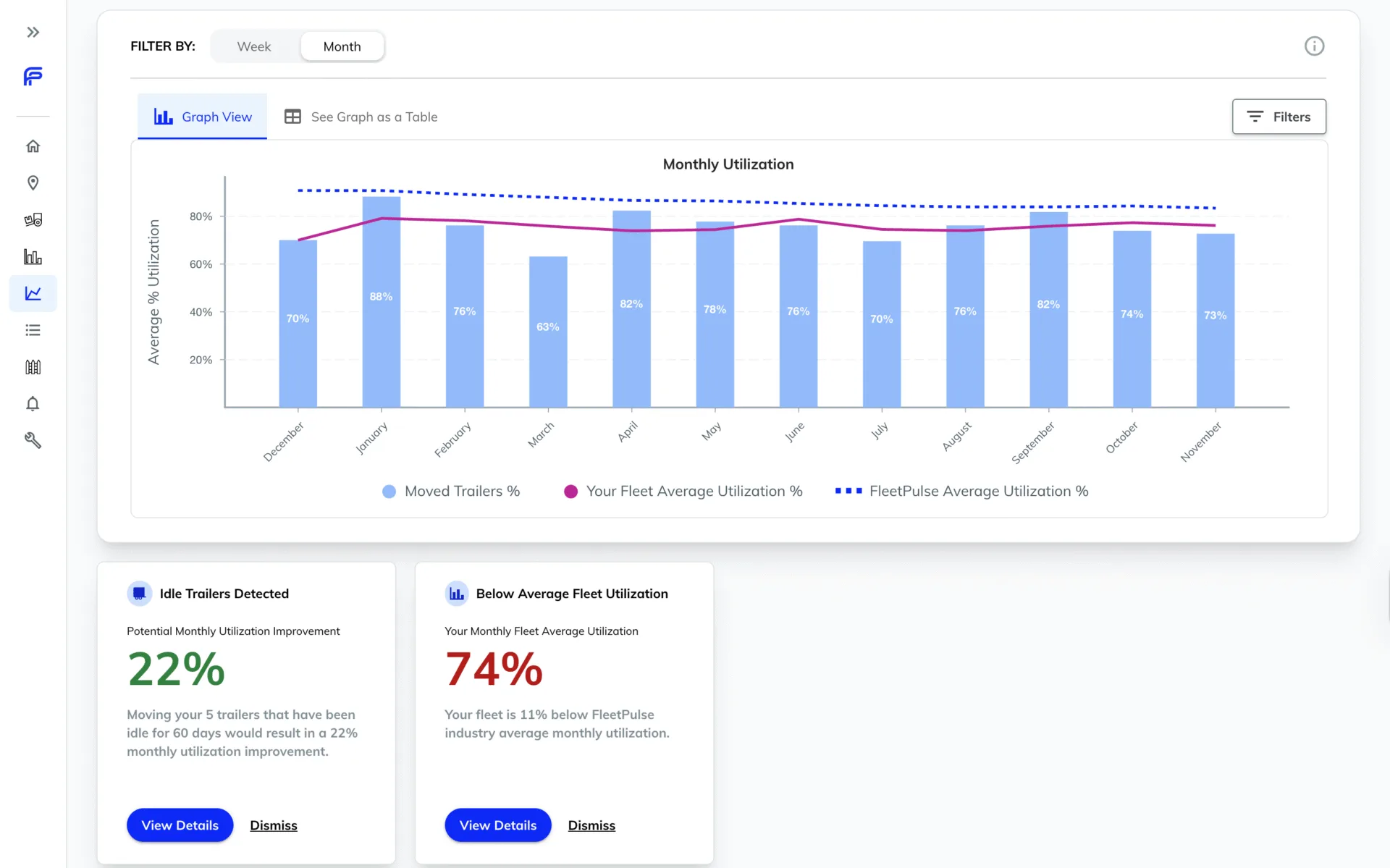
In November, we launched the Utilization Report to help you see how your fleet is performing. This month, we made it actionable.

Now, when you open your utilization dashboard, you get two things:

1. Clear benchmarking against real data

See how your fleet utilization compares to the FleetPulse industry average of 50,000+ trailers. No more wondering if you’re performing well — you’ll know exactly where you stand.

2. Specific recommendations on which trailers to move

We do the math for you. The dashboard identifies exactly which trailers you should relocate to improve your overall fleet utilization, along with the expected impact of each move.

No more spreadsheets. No more guesswork. Just clear recommendations you can act on immediately.

Problem #2: “I want to see more without clicking into every trailer.”

Our Solution: Enhanced Map Hover States

You told us you were clicking into trailers just to check basic information. That’s a lot of wasted time when you’re managing hundreds or thousands of assets.

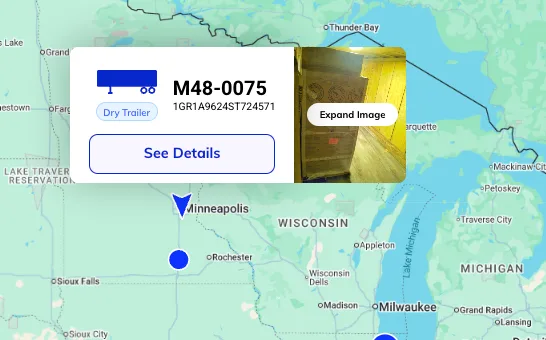
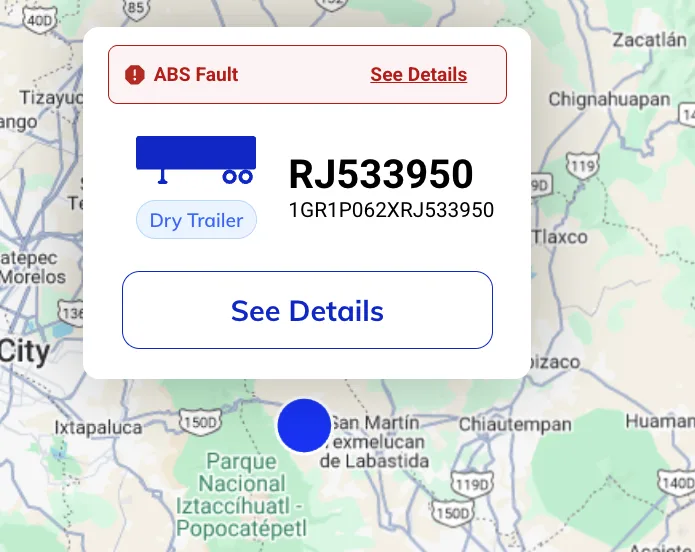
Now, when you hover over a trailer on the map, you instantly see:

Critical information for trailers with CargoView

See the most recent image of what’s inside your trailer without clicking. Know if it’s loaded, empty, or needs attention.

Figure 3: Hover State – Trailer with CargoView 

Maintenance alerts for trailers with ABS monitoring

Spot critical ABS faults immediately. Identify which trailers need attention before they become roadside breakdowns.

Figure 4: Hover State – Trailer with ABS Fault [Insert Figure 4]

The result? You can scan your fleet faster and only click into the trailers that actually need your attention.

Problem #3: “I need more useful information in one place.”

Our Solution: Improved Trailer Detail Drawer

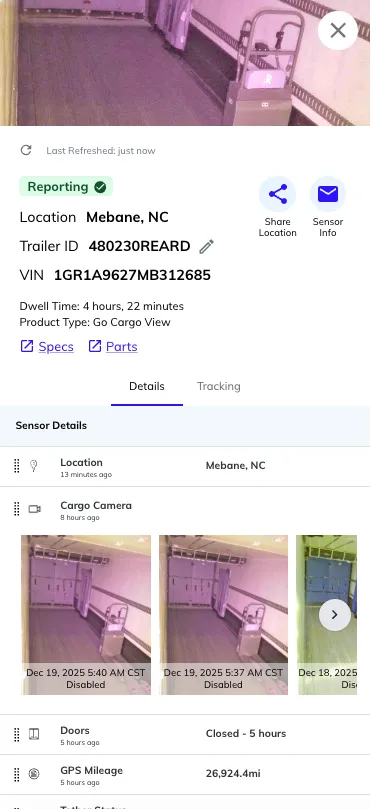
When you search for or click on a specific trailer, you want to see everything important without hunting through multiple tabs or screens.

We’ve redesigned the Trailer Detail drawer to surface the most critical information:

  • Dwell time is now front and center — see at a glance how long a trailer has been sitting
  • CargoView images (if equipped) are moved to the top of the drawer — no more scrolling to see what’s inside
  • All key metrics in one view — make decisions faster with everything you need in one place

Figure 5: Trailer Detail Improvements

Problem #4: “I’m constantly zooming in and out on the map.”

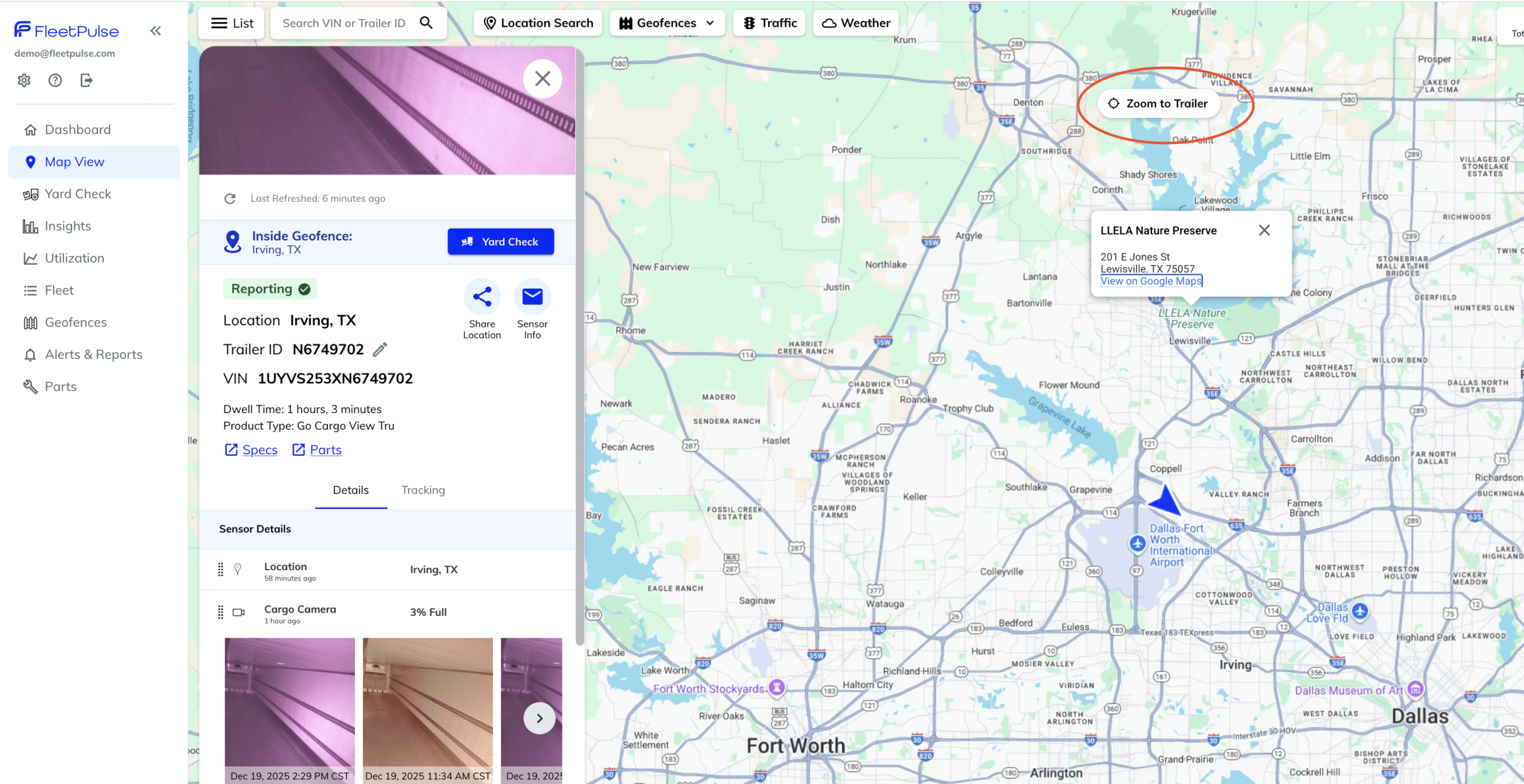
Our Solution: Zoom to Trailer Button

Managing a dispersed fleet means you’re often looking at the big picture, then drilling down to individual trailers, then back out again. All that zooming adds up.

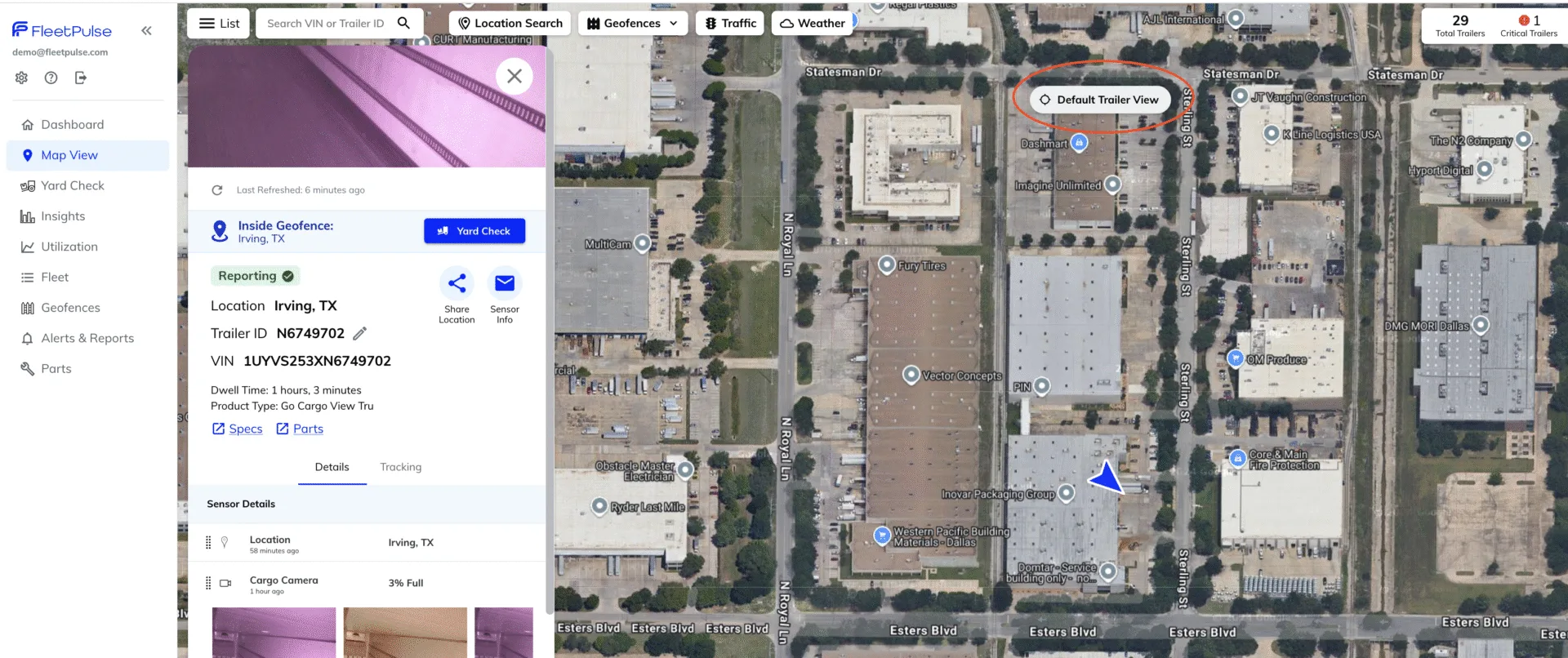
Now there’s a simple “Zoom to Trailer” button that drops you to ground level with one click.

Figure 6: Zoom to Trailer Button 

One click later, you’re at ground level, seeing exactly where that trailer is located.

Navigate your fleet faster. Make decisions more quickly. Save time every single day.

Figure 7: Fully Zoomed In View

What’s Next

Every feature we shipped in December came directly from conversations with customers like you. We’re committed to building a platform that solves real problems, not just adding features for the sake of features.

Want to see these updates in action? Log in to your account, or reach out to schedule a walkthrough.

Thanks for being part of the FleetPulse community.

— The FleetPulse Product Team