October's updates come back to one question we hear constantly: what is my fleet doing when it isn't moving? Part of the answer is at customer docks. Part of it is in your own yards. And part of it is in a filing cabinet when an inspector asks for a registration.
This month we shipped two tools to help you answer it: a redesigned Dwell and Utilization page and FleetPulse Documents. Here's what each one means for your fleet.
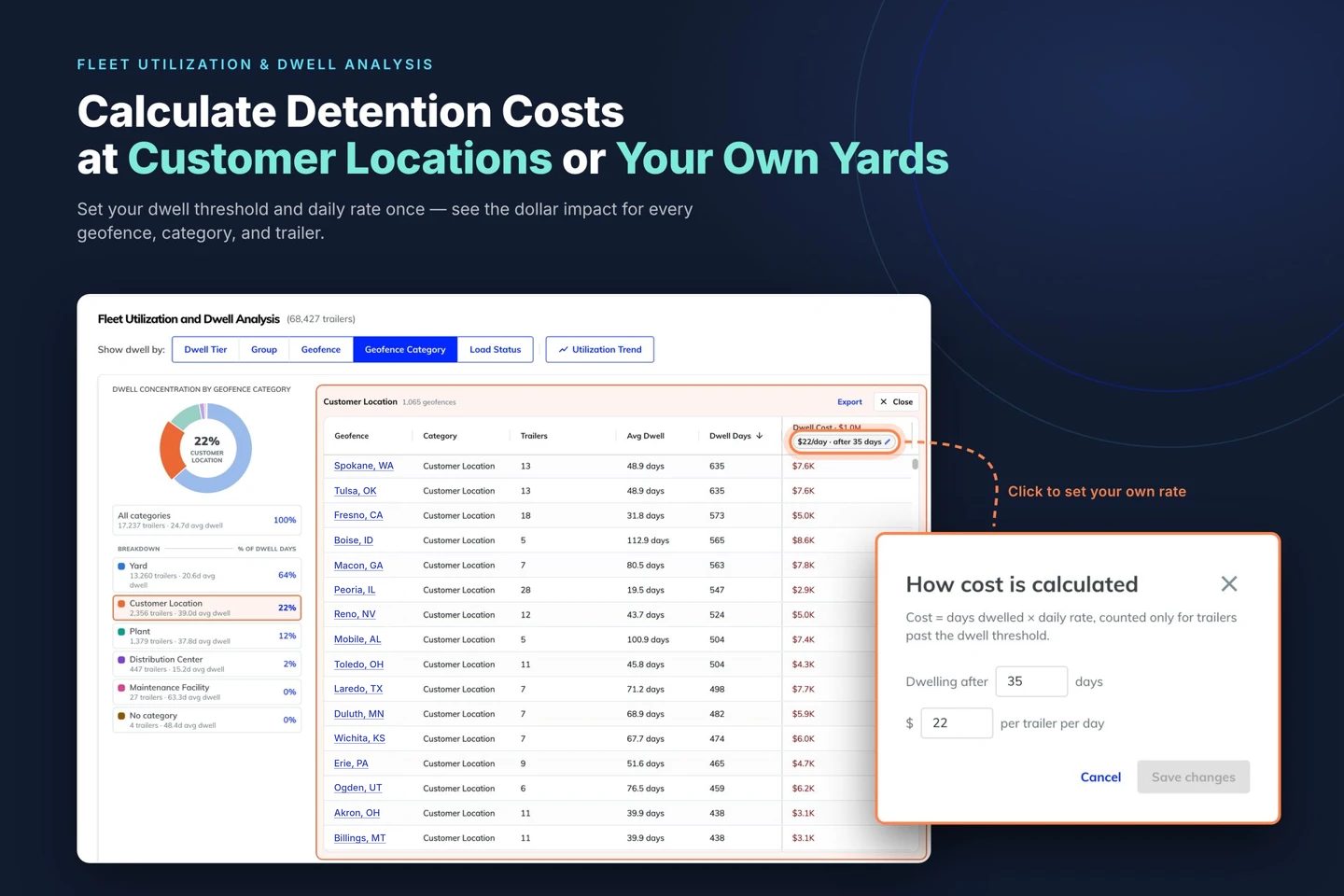
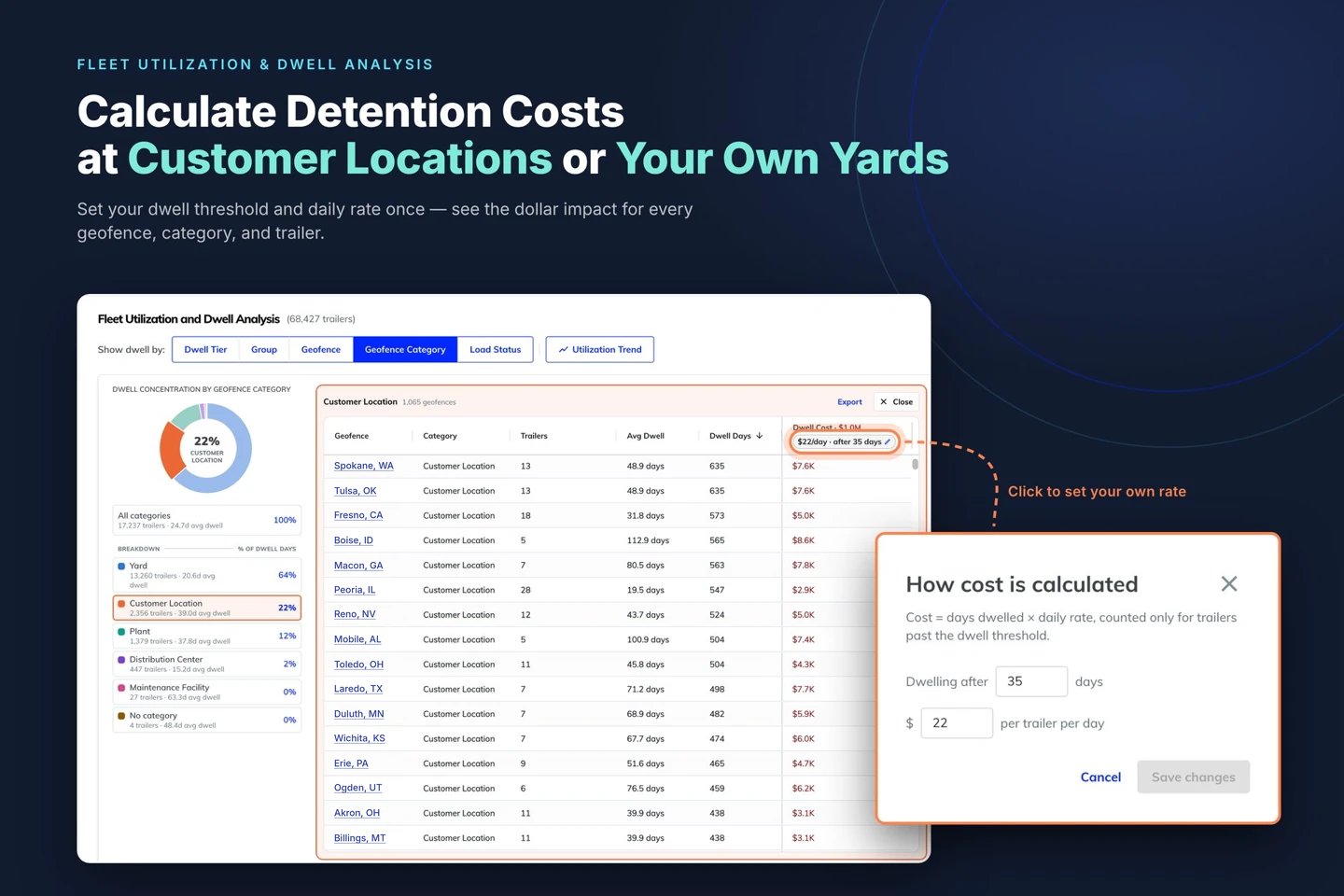
Put a dollar figure on detention
"I know I should be charging customers with detention, but I don't have good enough records to substantiate how much, or why."
The redesigned Dwell and Utilization page puts a cost on every dwelling trailer, at customer sites and in your own yards. By default, FleetPulse starts counting after 60 days of dwell at $22 per trailer per day, and cost only counts the days past that threshold. Give customers 2 days of free time and charge $16 a day? Enter your numbers and every cost on the page recalculates.
What this means for you: You go into a detention conversation with dwell days, locations, and a dollar figure. FleetPulse doesn't send invoices. Whether and when you bill is still your call.
See where your trailers are sitting
"I know some of my trailers are sitting too long… I need to see the whole picture and then drill into the trailers that need attention."
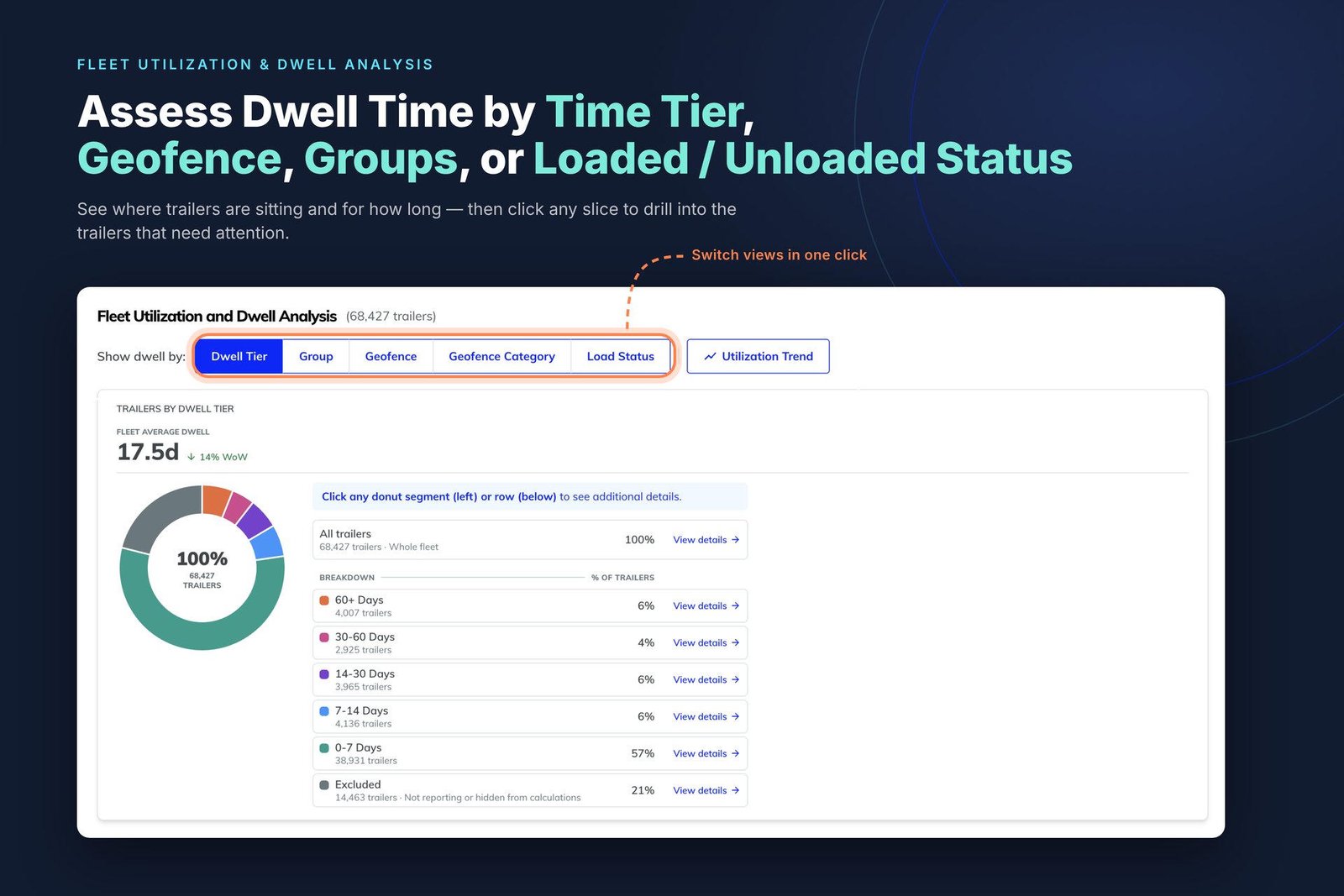
On the same page, break down your fleet by dwell time tier, group, geofence, geofence category, or load status. Every view is an interactive chart. Click a slice and you're looking at the exact trailers in it, longest dwell first.
What this means for you: You get from a fleet-wide picture to the trailers that need a call in a couple of clicks, no spreadsheets required.
Setup tip: the Group, Geofence, and Load Status views use your groups, categorized geofences, and load sensors. If a view looks empty, that's a quick setup step, not a bug.
Want the full walkthrough, including how fleets build a detention case step by step? Read Your Idle Trailers Have a Price Tag. Now You Can See It.
Every trailer document, in one place
Registrations in one drawer, titles in a shared drive, inspection reports in someone's inbox. Then an auditor shows up, or a driver gets stopped roadside, and everyone starts digging.
"I need a single place to store trailer documents, one that I can easily retrieve important documents for any trailer, and also see at a glance which ones are expiring soon."
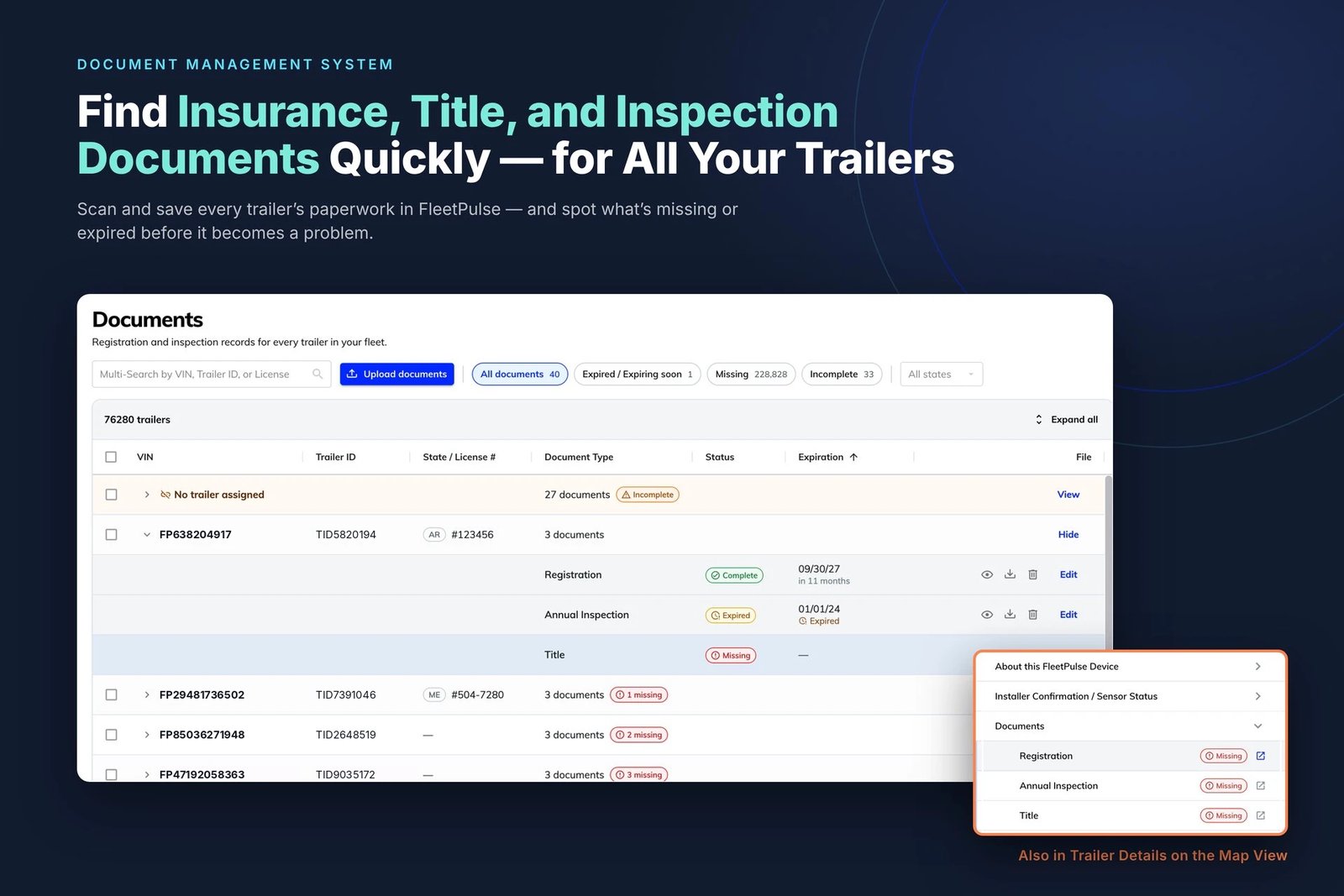
FleetPulse Documents gives every trailer a home for its paperwork, right next to the trailer data you already use. Scan or upload registrations, titles, inspection reports, and anything else, then find and share them in seconds. It works for every trailer in your fleet, even ones without a FleetPulse device.
What this means for you: When a document is expired or missing, you'll know before an auditor or roadside inspector does. For the full story behind this feature, read Your Trailer Paperwork Finally Has a Home.
Built from what you told us
Every update this month started as a customer conversation. Keep them coming. Your feedback shapes what we build next.
Already a FleetPulse customer? The Dwell and Utilization page is live in your account now under Fleet Utilization. To turn on FleetPulse Documents, or for help setting up customer geofences and picking your threshold and daily cost, reach out to your Customer Success Manager or success@fleetpulse.com.
New to FleetPulse? Let's talk about how you manage dwell, detention, and trailer paperwork today. Book a 20-minute conversation and we'll show you where your fleet's dwell time is going and what it's worth.